



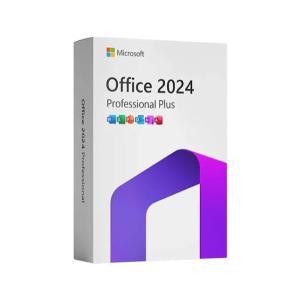
Microsoft Office 2024 Professional Plus LTSC
$17 $25

.png)
Visual Studio 2026 is the best Visual Studio ever. Our first 64-bit IDE makes it easier to work with even bigger projects and more complex workloads. The stuff you do every day—like typing code and switching branches—feels more fluid more responsive. And out-of-memory errors? They’re about to be a distant memory.
Productive
Scale to work on projects of any size
and complexity with a 64-bit IDE. Code with a new Razor editor that can
refactor across files. Diagnose issues with visualizations for async
operations and automatic analyzers.
Modern
Develop
cross-platform mobile and desktop apps with .NET MAUI. Build responsive
Web UIs in C# with Blazor. Build, debug, and test .NET and C++ apps in
Linux environments. Use hot reload capabilities across .NET and C++
apps. Edit running ASP.NET pages in the web designer view.
Innovative
AI-powered code completions. Work together in real-time with shared
coding sessions. Clone repos, navigate work items, and stage individual
lines for commits. Automatically set up CI/CD workflows that can deploy
to Azure.
Type less, code more
IntelliCode is a powerful set
of automatic code completion tools that understand your code context:
variable names, functions, and the type of code you’re writing. This
makes IntelliCode able to complete up to a whole line at once, helping
you code more accurately and confidently.
Deep insights into your code
CodeLens helps you easily find important insights, like what changes
have been made, what those changes did, and whether you’ve run unit
testing on your method. Essential information—like references, authors,
tests, and commit history—is right there to guide you toward the best
and most informed decisions about your work.
Share more than screens
Live Share’s real-time collaboration sessions speed up your team’s edit
and debugging cycles, no matter the language or platform. Personalized
sessions with access controls and custom editor settings make sure
everyone stays code-consistent.
Stop problems before they’re problems
Integrated debugging is a core part of every Visual Studio product. You
can step through your code and look at the values stored in variables,
set watches on variables to see when values change, examine the
execution path of your code, and just about anything else you need to
check out under the hood.
Instant impact
Analyze how much code
you’re testing and see instant results in a test suite that’s been
optimized for efficiency. Know the impact of every change you make with
advanced features that test code as you type. With WSL integration, you
can test on both Windows and Linux to make sure your app runs
everywhere.
Azure deployment
Deploying to the cloud gets even
easier. We supply all the templates you’ll need for common application
types and local emulators. And you can stay right in Visual Studio to
provision dependencies, like Azure SQL databases and Azure Storage
accounts. You can even diagnose any issues quickly with the remote
debugger attached directly to your application.
Integrated version control
Visual Studio 2026 has built-in support for Git version control to
clone, create, and open your own repositories. The Git tool window has
everything you need for committing and pushing changes to code, managing
branches, and resolving merge conflicts. If you have a GitHub account,
you can manage those repos directly within Visual Studio.
System Requirements
Windows 11 — supported versions of the following editions: Home, Pro,
Pro Education, Pro for Workstations, Enterprise, and Education,
including ARM64 editions
Supported Windows 11 OS versions can be found at Windows 11 Enterprise and Education Support.
Windows 10 — supported versions of the following editions: Home, Professional, Education, and Enterprise.
Supported Windows 10 OS versions can be found at Windows 10 Enterprise and Education Support.
Windows Server: Standard and Datacenter editions of 2025, 2022, 2019.
.png)
.png)
.png)
